- ProductsProxiesResidential ProxiesReal IPs from home devices, traffic never expiresMobile Proxies3G/4G/5G carrier IPs, highest trust scoreDatacenter ProxiesHigh-speed server IPs with 99.9% uptimePrivate ProxiesDedicated IP locked to your account onlyISP ProxiesStatic residential IPs from real ISPs at datacenter speedWeb ScraperAuto proxy rotation & JS renderingNot sure where to start?Start with any amount — traffic never expires.Help me choose a proxy
- Pricing
- LocationsMost Popular
 United States226,090 IPs
 Germany116,173 IPs
 Canada792,251 IPs
 Australia367,600 IPs
 France116,173 IPs
 Japan198,440 IPsRegionsEurope44 countriesAsia48 countriesAfrica54 countriesNorth America23 countriesSouth America12 countriesOceania14 countriesView all locations →
 - Solutions
- API
SessionBox Proxy
 22M+ ethically sourced IPsCountry and City level targetingProxies from 190+ countries
 Start with Google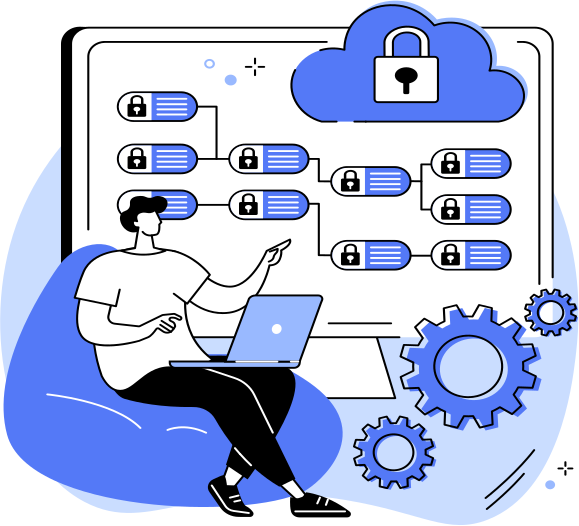
Top locations

Types of SessionBox proxies for your tasks




Premium proxies in other Cybersecurity Solutions
Cybersecurity
SessionBox proxies intro
SessionBox Proxy: Browser Tab-Level Profile Switching for Lightweight Multi-Account Management
A SessionBox proxy configuration gives customer support teams, social media managers, freelance multi-client operators and lightweight multi-account users a browser-extension-based identity-switching tool that isolates sessions at the tab level within a standard Chrome or Firefox browser, with each tab capable of maintaining its own proxy IP, independent cookie jar and separate session state so that multiple platform accounts can be logged in simultaneously without the overhead of launching separate browser instances or installing dedicated antidetect applications. SessionBox operates as a browser extension rather than a standalone browser, which means operators continue working in their familiar Chrome or Firefox environment while gaining tab-level identity separation through SessionBox's container technology—a significantly lower adoption barrier than full antidetect browsers that require learning new software, migrating workflows and provisioning separate application infrastructure. The proxy layer, routed through infrastructure such as Gsocks, supplies each SessionBox tab or workspace with a residential or mobile IP through per-tab proxy assignment, so that each logged-in account accesses its target platform from a distinct network identity while all tabs share the same browser window. On top of this lightweight foundation, SessionBox provides workspaces for organising tabs by client or project, cloud profile sync for accessing session configurations across devices, and team-sharing features for collaborative multi-account management. The result is a minimal-overhead multi-identity solution where tab-level isolation, per-tab proxy routing and browser-extension convenience work together to solve the everyday multi-login challenges that do not require full antidetect browser complexity but do require more session separation than standard browser profiles provide.
Configuring SessionBox Extension with Per-Tab Proxy Assignment and Cookie Isolation
Configuring the SessionBox extension with per-tab proxy assignment and cookie isolation starts by installing the extension in Chrome or Firefox, then setting up proxy endpoints that SessionBox routes through on a per-tab or per-workspace basis so that each isolated session presents its own network identity to the target platform. SessionBox's proxy configuration supports HTTP and SOCKS5 protocols, with credentials entered per session profile or per workspace: when an operator creates a new SessionBox session for a specific account, they assign a Gsocks proxy endpoint to that session so that all traffic from that tab routes through the designated IP while other tabs in the same browser window use different proxy endpoints or the browser's default connection. Gsocks provides sticky residential endpoints with configurable persistence, and SessionBox preserves the proxy assignment across tab closures and browser restarts within the same session profile, so that reopening a saved session reconnects to the same IP and resumes the same cookie state. Cookie isolation is SessionBox's core technology: each session maintains its own cookie jar that is completely independent from every other session and from the browser's default cookie storage, so that authentication tokens, preference cookies and tracking identifiers from one platform account do not leak into another account's session even when both are open in adjacent tabs of the same browser window. Per-tab proxy assignment combines with cookie isolation to produce the minimum viable multi-identity configuration: different IP addresses prevent platform-side correlation of accounts by network origin, independent cookie jars prevent session-state cross-contamination, and tab-level separation provides enough operational isolation for multi-login use cases where full fingerprint spoofing is unnecessary. Validation after configuration should confirm that each SessionBox tab shows the correct proxy IP through an IP-check service, that cookies from one session do not appear in another session's storage, and that the proxy connection remains stable across tab switching and browser backgrounding events. For teams managing many accounts, SessionBox's workspace feature groups related sessions—all tabs for a specific client, all accounts for a specific platform—with shared proxy and configuration settings that can be applied to new sessions without per-tab re-configuration.
Standout Specs: Tab-Level Identity Separation, Workspaces & Cloud Profile Sync
Standout specifications within the SessionBox ecosystem address the multi-login workflow needs of operators who require session isolation without the complexity and resource overhead of full antidetect browsers. Tab-level identity separation is SessionBox's core value proposition: each browser tab can maintain an independent session with its own cookies, proxy connection, local storage and authentication state, all within the same browser window, eliminating the need to open multiple browser instances, manage separate browser profiles or install dedicated antidetect software; for operators who manage five to twenty platform accounts simultaneously—a customer support agent logged into multiple help-desk instances, a social media manager switching between client accounts, a freelancer accessing different clients' SaaS dashboards—this tab-level separation provides exactly the isolation needed without the operational overhead that full antidetect browsers introduce. Workspaces organise related sessions into logical groups: a customer support team creates a workspace per client with all that client's platform sessions pre-configured with the appropriate Gsocks proxy endpoint and saved credentials, and switching between clients means switching between workspaces rather than reconfiguring individual tabs; workspaces can be shared with team members through SessionBox's collaboration features, enabling shift handovers where an incoming support agent opens the client workspace and immediately accesses all active sessions with their proxy bindings and cookie state intact. Cloud profile sync stores workspace configurations, session profiles, proxy assignments and cookie state in encrypted cloud storage, making them accessible from any device where the operator logs into SessionBox: a social media manager who configures account sessions on a desktop workstation can access the same sessions with the same proxy IPs and the same authentication state from a laptop while travelling, maintaining the session continuity that platforms expect from returning users. The proxy layer integrates with these features by maintaining Gsocks sticky-session persistence that spans the cloud-sync events and device switches SessionBox supports, ensuring that the network identity remains consistent even as the underlying hardware changes.
Playbook: Customer Support Multi-Login & Social Media Management
Customer support multi-login and social media management represent the primary use cases where SessionBox's lightweight tab-level approach delivers the most immediate workflow improvement over both native browser profiles and full antidetect browsers. Customer support multi-login uses SessionBox tabs to maintain simultaneous logged-in sessions across multiple help-desk platforms, CRM systems, client dashboards and communication tools: a support agent managing five clients opens five SessionBox tabs, each connected through its own Gsocks residential IP and maintaining independent authentication state, so that the agent can switch between client contexts by clicking tabs rather than logging out and logging in or maintaining five separate browser windows; workspaces group each client's platform sessions together so that all tools related to one client—Zendesk, Salesforce, Slack, admin dashboard—share the same proxy identity and can be opened or closed as a group during shift changes. Social media management uses SessionBox tabs to operate multiple social media accounts across Facebook, Instagram, X, LinkedIn and TikTok simultaneously within a single browser window: each account runs in its own SessionBox session with a dedicated Gsocks IP and independent cookie state, allowing the social media manager to post content, respond to messages, check analytics and manage campaigns across all accounts without the session-switching friction that logging out and in creates; per-tab proxy assignment ensures that each account appears from its own residential IP, preventing the platform-side IP correlation that triggers multi-account detection when multiple accounts access the platform from the same network address. Because SessionBox operates as a browser extension rather than a standalone application, adoption requires no workflow migration—operators continue using Chrome or Firefox with all their existing extensions, bookmarks and preferences while gaining tab-level identity separation that solves the multi-login challenge with minimal disruption to established work patterns.
Metrics: Low-Latency Rotation, Extension Compatibility & Auth Methods
Evaluating a proxy vendor for a SessionBox deployment means testing the specific capabilities that determine whether tab-level proxy routing works reliably within the browser-extension architecture and supports the lightweight multi-login workflows SessionBox is designed for. Low-latency rotation ensures that SessionBox sessions experience responsive browsing regardless of which proxy endpoint they route through: because SessionBox operates within a standard browser where operators interact with multiple tabs in real time—switching between accounts, loading dashboards, responding to messages—proxy latency directly impacts perceived responsiveness; evaluate the vendor's endpoint latency under concurrent load that simulates multiple active SessionBox tabs each routing through different endpoints simultaneously, measuring round-trip times at the ninety-fifth percentile rather than the median because latency spikes in any single tab degrade the multi-tab workflow experience. Extension compatibility verifies that the vendor's proxy integration works correctly within the browser-extension context: SessionBox routes traffic through proxy endpoints using the browser's native proxy APIs, and some proxy authentication methods or protocol configurations may behave differently in extension context than in standalone applications; test that HTTP and SOCKS5 endpoints authenticate correctly through SessionBox's proxy configuration, that connections remain stable across tab switching and browser backgrounding, and that proxy-per-tab assignment does not conflict with other browser extensions the operator uses. Authentication method flexibility determines how securely and conveniently proxy credentials can be managed across SessionBox sessions: the vendor should support username-password authentication that SessionBox can store per session profile, IP-based whitelisting for environments where credential storage is undesirable, and token-based authentication for advanced integrations; Gsocks provides multiple authentication methods compatible with SessionBox's extension architecture, ensuring that operators can select the credential management approach that matches their security requirements. Evaluate the vendor's sticky-session reliability across the workspace-switching and cloud-sync events that SessionBox workflows generate, verifying that proxy assignments persist correctly when sessions are saved, shared between team members and restored on different devices. Providers like Gsocks that combine low-latency proxy endpoints with extension-compatible authentication, reliable per-session sticky sessions and transparent pricing that aligns with SessionBox's lightweight operational philosophy give multi-login operators the proxy quality that makes tab-level identity separation practically effective.